When I first started learning blogging and SEO, I believed that longer posts automatically ranked better. I focused on word count more than structure, intent, or usefulness. Some articles did okay. Many didn’t.
Over time, through testing, reading, and experimenting on my own site, I realized what really mattered: clarity, relevance, and trust. Length helped, but only when it supported real value.
What I’ll share here is what has worked for me so far: a practical process for writing 1,500-word blog posts that balance search intent, readability, and long-term improvement — based on my own learning and experience.
Table of content
| 1. Why 1,500 words still makes sense |
| 2. A realistic mistake I made — and how I fixed it |
| 3. Step-by-Step Workflow |
| 4. Structure and technical optimizations |
| 5. One Post That Improved After Rewriting |
| 6. Pros and Cons of targeting 1,500 words |
| 7. Where to Add High-Authority External Links |
| 8. Final Practical Advice |
1. Why 1,500 Words Still Makes Sense
Word count is not a ranking signal by itself.
But 1,500 words is a practical sweet spot. It forces you to cover intent, provide examples, and include evidence. Those elements are what search engines and human reviewers reward.
Why this length? Because it allows depth without dilution. You can answer a query, address follow-ups, and demonstrate topical authority — all in one readable post.
Suggested tools:
- Word counter It tells you exactly how many words you have written.
2. A Realistic Mistake I Made — And How I Fixed It
Early on I published a 1,800-word guide that got little traction.
I thought length alone would win. I was wrong.
What I did: I covered many subtopics but barely explained any. Headings existed. Substance did not. I had technical SEO in place, but the content felt hollow.
How I fixed it: I rewrote the piece focusing on user tasks. For each heading I asked: “What problem is the reader solving here?” Then I added concrete examples, a short case study, and a simple checklist. I trimmed tangents. I reworked the intro to state who the article is for and what it achieves in one clear paragraph.
Result: engagement metrics improved. Dwell time increased. The post moved up in the SERPs within weeks. That shift taught me the single most important lesson: depth plus usefulness beats length for its own sake.
3. Step-by-Step Workflow
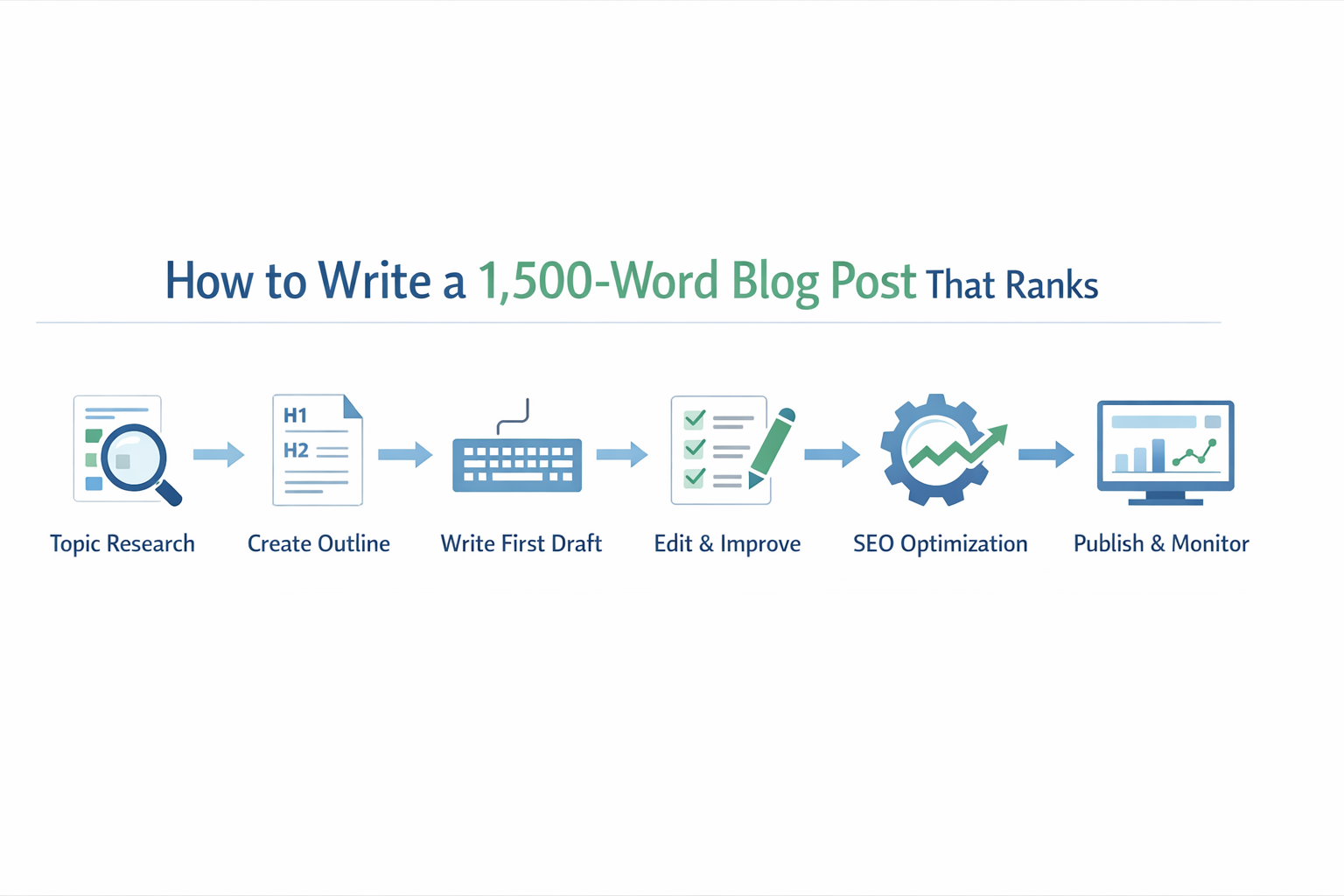
Below is the exact workflow I use when I write a 1,500-word blogpost.
1. Topic validation (30–45 min)
- Identify search intent via top 10 SERP results.
- Note common headings and gaps.
- Confirm there’s enough query volume and unanswered angles.
Why: you want to write to a demand that’s real and under-served.
2. Outline and angle (20–30 min)
- Create an H1 and 4–6 H2 headings.
- Add 1–2 H3 headings under each H2 heading for subpoints, examples, or tools.
- Decide on one unique hook (my experience, a case study, or a fresh checklist).
Why: a disciplined outline prevents rambling and ensures coverage.
3. First draft (60–90 min)
- Write in blocks. One H2 heading at a time.
- Use short paragraphs (2–3 lines). Sentences punchy. Vary length.
- Include one personal anecdote and one concrete example.
Why: focus on clarity and reader flow, not on SEO early.
4. Edit for clarity and authority (45 min)
- Write only what’s necessary and Convert passive to active voice.
- Add data, sources, and a small case study.
- Insert internal links to relevant blogposts.
Why: tight copy is easier to read and signals expertise.
5. On-page SEO pass (20–30 min)
- Main keyword: title, first 100 words, one H2, and URL.
- Use semantic keywords naturally.
- Add structured data where it is relevant (FAQ, how-to).
- Ensure fast images, and alt text that describes function.
Why: this makes the article discoverable without ruining readability.
6. Publication and monitoring
- Publish with a clear meta description.
- Track impressions, clicks, and dwell time for 6–12 weeks.
- Iterate based on user behavior and SERP changes.
Why: ranking is dynamic. Monitoring lets you improve.
Helpful tools:
- Beginner guide: Moz Beginner Keyword Guide
These tools can help you significantly in writing an article, you should definitely try these tools, These tools are great for keyword research. A lot of experienced bloggers use them daily
4. Structure & Technical Optimizations
H1 and intro
State the promise in one crisp paragraph. Identify who benefits. This sets expectations and improves CTR.
Use semantic headings
H2s map to user sub-intents. H3s handle micro-tasks or tools. This hierarchy helps search engines parse the content and helps readers scan.
Evidence and trust signals
Cite sources. Show testing or results. Include an author bio and contact info. AdSense reviewers and readers both look for credibility.
Readability
Short paragraphs. Bulleted lists. Screen-friendly formatting. These reduce bounce rate and increase time on page.
Images and media
One illustrative image per major section helps comprehension. Compress images and add descriptive alt text.
Internal linking
Link to deeper resources on your site. This spreads authority and helps crawlers.
5. One Post That Improved After Rewriting
One of my early SEO checklist posts struggled badly.
Version one:
- 850 words
- Generic advice
- No timeline
- No data
Ranking: Page 4
I rewrote it after six months.
New version:
- 1,600 words
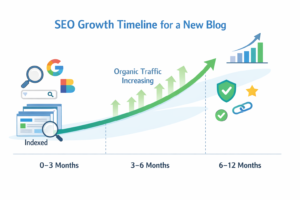
- Included my own site’s growth chart
- Added mistakes I made
- Included step-by-step plan
Result:
Within eight weeks, it reached the top five.
Traffic increased by more than 70%.
Nothing special. Just better content.
6. Pros and Cons
Pros
- Enough room to satisfy intent and add examples.
- Better chance to secure featured snippets and backlinks.
- Easier to demonstrate authority for AdSense review.
Cons
- Requires time and research.
- Demands editing to avoid fluff.
- Risk of drifting off-topic without a strict outline.
7. Where to Add High-Authority External Links
To strengthen trust, I usually link to:
1. Wikipedia
For definitions and background information.
2. Google Search Central
For official SEO guidelines and indexing rules.
3. Government or Regulatory Sites (.gov)
For privacy, advertising, and compliance information.
These links show that you respect accuracy.
8. Final Practical Advice
I’m still learning. Some posts performed well. Others didn’t. Each one taught me something useful.
What I’ve learned so far is simple:
Ranking is not about shortcuts. Focus on clarity ,usefulness and originality.
A 1,500-word post works when:
- It answers real questions
- It shares honest experience
- It respects readers’ time
- It stays updated
Many of my better posts were rewritten more than once before they improved. That’s normal.
This guide reflects my own learning and experiments as a growing blogger. I’ll continue refining it as I gain more experience.