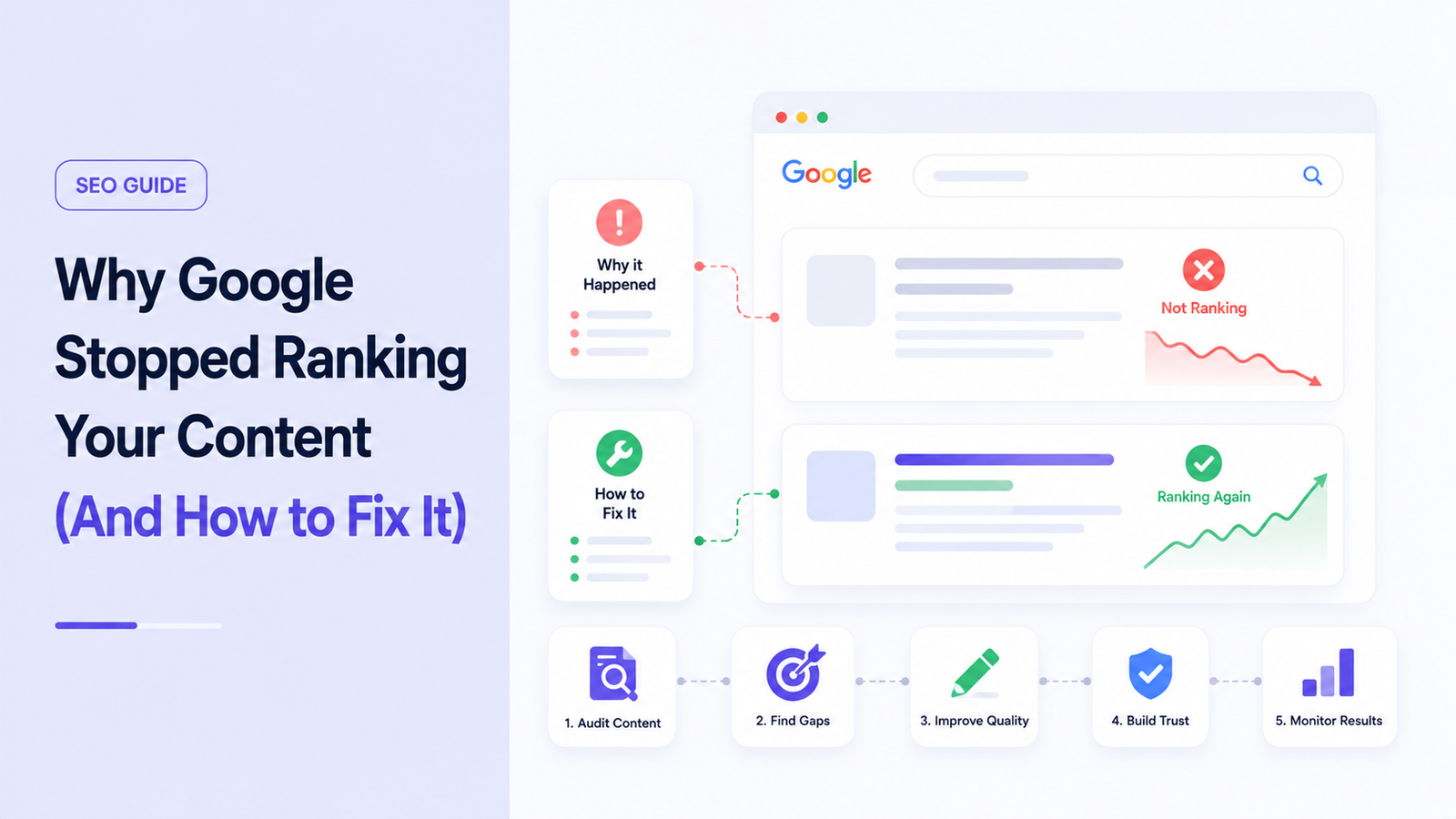
I still remember opening Google Search Console on a random Tuesday morning, coffee in hand, expecting nothing unusual. Instead, the graph looked like someone had taken scissors to it. Clicks down almost 40% in a matter of days. No manual action notice. No warning email. Just… gone.
My first thought was that I’d been hacked. My second thought was that Google had made a mistake. It took me almost a week of digging through forums, Reddit threads, and old Search Central blog posts before I landed on the real answer: my site had gotten caught up in what Google calls the Helpful Content System.
If you’re reading this because your traffic just did something similar, I get it. I’ve been there twice now, and both times taught me something different about how this system actually works — not the textbook version, the real one.
So What Actually Is the Helpful Content System?
Here’s the short version, without the jargon: Google built a way to figure out whether a page (and honestly, a whole site) was written to genuinely help a reader, or written mainly to rank in search results and pull in clicks.
It first showed up back in August 2022 as its own separate signal. Back then, people talked about it like a switch that flipped on your site — you either got hit by “the Helpful Content Update” or you didn’t.
That’s not how it works anymore.
It Got Folded Into the Core Algorithm
In March 2024, Google rolled this system directly into its core ranking system. It’s no longer a standalone update that runs occasionally — it’s a constant, ongoing evaluation baked into how every page gets scored. Google even said this shift would help cut down significantly on low-quality and unoriginal content showing up in search results.
What that means practically: there’s no more waiting around for “the next Helpful Content Update” to see if you recover. Every core update since then is doing this evaluation continuously. If your content is genuinely useful, that gets factored in all the time — not just during a special event twice a year.
This confused me for months. I kept googling “helpful content recovery timeline” hoping there was a specific date my site would bounce back. There isn’t one anymore. Recovery now just means: your site actually got better, and Google noticed on its normal schedule.
The Mistakes That Got Me Flagged (I Think)
I can’t read Google’s internal scoring, and neither can anyone else outside Mountain View, so I’m not going to pretend I know the exact mechanism. But looking back at what I was doing, a few things stand out as obvious red flags.
- I was publishing “roundup” posts with zero original input. Things like “Best Budget Laptops 2023” where I basically reworded specs from manufacturer pages. No testing, no opinion, nothing you couldn’t get from the product listing itself.
- I had a batch of AI-drafted articles that never got a real edit. I’ll be honest about this one — I used an AI writing tool to bulk-produce about 30 articles in a slow month, published them with maybe a five-minute skim each, and moved on.
- A chunk of my site was thin, outdated pages from years earlier that I’d forgotten even existed. Old “top 10” lists referencing products that had been discontinued.
- I was chasing keywords instead of questions. I’d see a keyword tool show search volume for a phrase and write toward the phrase, not toward what someone actually wanted to know.
None of this felt malicious at the time. It felt like normal blogging. That’s the uncomfortable part of this system — a lot of sites getting hit aren’t spam sites in the traditional sense. They’re just sites that leaned too hard into “what will rank” and too little into “what will actually help.”
How I Actually Diagnosed the Problem
Before you assume the Helpful Content System is why your traffic dropped, it’s worth ruling other things out first. Here’s the process I used:
- Checked the confirmed update timeline. I compared my traffic drop date against Google’s list of confirmed algorithm updates (Search Engine Land and Google’s own Search Status Dashboard both track these). If your dip lines up with a known core update rollout, that’s your first clue.
- Looked at Search Console’s Performance report by page. I filtered by “Pages” and sorted by click drop. It wasn’t every page — it was concentrated in specific sections of my site, which told me it was a content-quality issue rather than a technical one.
- Ran a crawl with Screaming Frog to check for indexing issues, broken redirects, or duplicate content I might have missed.
- Checked GA4 for engagement metrics — average engagement time, bounce-adjacent signals, pages per session — on the affected articles versus my top performers. The affected ones were consistently thinner and shallower.
- Read the actual pages out loud. This sounds silly, but it’s the fastest gut check. If a page doesn’t teach you anything you didn’t already know from the headline, that’s a problem.
What “People-First” Content Actually Means
Google’s own language around this — “people-first content” — sounds like a marketing phrase, but once I started applying it literally, it clicked.
It basically comes down to asking: would this page still exist if search engines didn’t?
- If you’d write this because you genuinely have something to say → good sign.
- If you’d only write this because a keyword tool told you it gets 2,000 searches a month → warning sign.
Google’s Quality Rater Guidelines (the document actual human raters use to evaluate search quality) lean heavily on a concept called E-E-A-T — Experience, Expertise, Authoritativeness, and Trust.The “Experience” piece got added specifically because Google wanted to reward content from people who’ve actually done the thing they’re writing about, not just researched it secondhand.
If you’re new to E-E-A-T, I explain each part in more detail in my guide on Google E-E-A-T Explained: How to Build Trust and Rank Higher.
Some SEOs have also talked about something they call “Information Gain” — basically, does your page add anything new compared to the ten other pages already ranking for that topic, or is it just a reshuffled version of what’s already out there. Google hasn’t officially confirmed this as a named ranking factor, but the underlying idea lines up with everything else they’ve said publicly, so I treat it as a useful mental model even if the exact term isn’t gospel.
The Recovery Process, Step by Step
Here’s what I actually did, in order, over about four months.
Step 1: Audit Everything
I exported every URL from Search Console and Google Analytics into a spreadsheet, then tagged each one with:
- Traffic trend (up, flat, down)
- Whether it had personal experience/testing behind it
- Last updated date
- Word count (not because word count matters directly, but as a rough thinness flag)
Step 2: Prune Ruthlessly
This was the hardest part emotionally. I ended up removing or merging around 60 pages that were thin, outdated, or overlapping with better content elsewhere on the site. I used 301 redirects to point old URLs to the closest relevant surviving page so I wasn’t just throwing away link equity.
I want to be honest: my first pruning pass was too aggressive. I deleted a few pages that were actually getting decent traffic just because they were old, and I lost that traffic for nothing. Lesson learned — prune based on quality and relevance, not just age.
Step 3: Rewrite With Real Experience
For pages I kept, I added:
- Actual photos I’d taken, not stock images
- Specific numbers from my own testing (load times, prices I actually paid, results I actually got)
- Honest downsides, not just positives
- A clear point of view instead of a neutral, encyclopedia-style tone
Step 4: Fix the Technical Stuff Too
The Helpful Content System is about content quality, but I also cleaned up:
- Slow-loading pages (checked with PageSpeed Insights)
- Broken internal links (found with Screaming Frog)
- Duplicate title tags across similar articles
None of this alone fixes a content-quality problem, but a messy technical foundation makes it harder for Google to even properly evaluate the good content you have.
Things I Got Wrong the Second Time Around
A year later, I got hit again — smaller drop, but still noticeable. This time the mistake was different: I’d started leaning on AI tools again, but this time to “improve” existing articles by bulking them up with extra sections that didn’t add real value. More words, same substance. I thought length signaled thoroughness. It doesn’t.
The fix wasn’t adding more — it was cutting filler and adding one or two genuinely useful, specific details instead.
A Few Myths I Had to Unlearn
- “AI content is automatically penalized.” Not true. Google has said repeatedly it doesn’t care how content is produced, only whether it’s genuinely helpful and accurate. The issue is unedited, low-effort AI content, not AI-assisted content in general.
- “More content is always better.” A smaller site with 40 genuinely useful pages can outperform a bloated site with 400 mediocre ones.
- “This only affects big sites.” Small blogs and niche affiliate sites got hit just as hard, sometimes harder, since they often had less topical depth to fall back on.
- “It’s a one-time penalty you serve out.” As covered above, there’s no timer. It’s continuous.
What I’d Tell Someone Starting Today
If you’re auditing your own site right now, keep it simple:
- Read your worst-performing pages like a stranger would.
- Ask if you’d be comfortable putting your name on every claim.
- Cut or merge anything that exists purely because a keyword tool suggested it.
- Add something real — a photo, a number, an opinion — to everything you keep.
- Check back using Search Console monthly, not daily. This stuff moves slowly, and obsessing over daily fluctuations will just stress you out for nothing.
None of this is a trick or a loophole. It’s genuinely just writing like you’d want to read. That’s the annoying, boring, honest truth about the whole system — and once I stopped looking for a shortcut around it, my site actually started to feel like something I was proud to publish again.